BBC Micro: The Computer That Defined a Generation of British Classrooms
For millions of British schoolchildren in the 1980s, the first computer they ever properly used was not sitting in a bedroom connected to the family television. It was sitting on a sturdy table at school, usually surrounded by half a dozen classmates and guarded by a teacher who seemed slightly nervous about letting anybody touch it.
That computer was the BBC Micro.
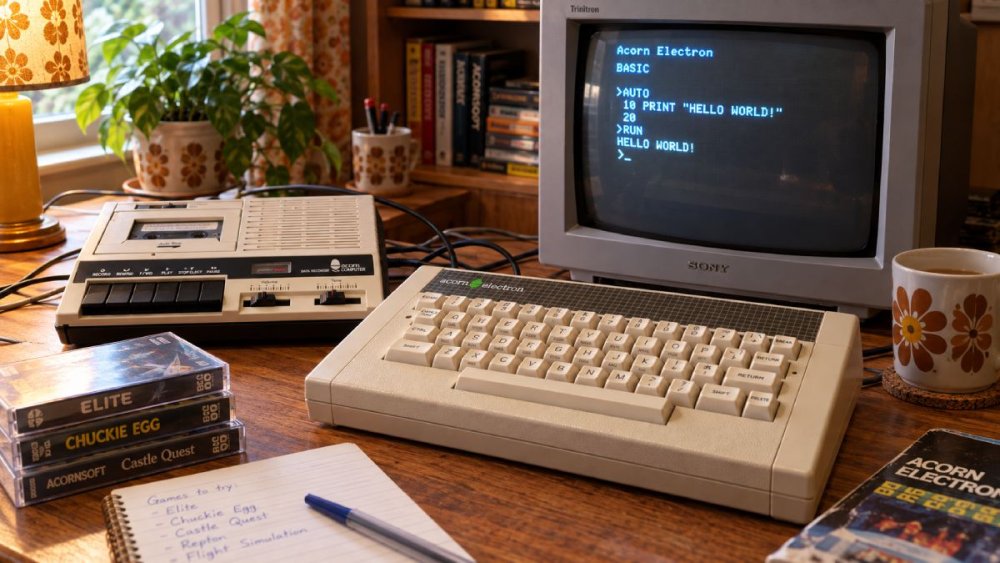
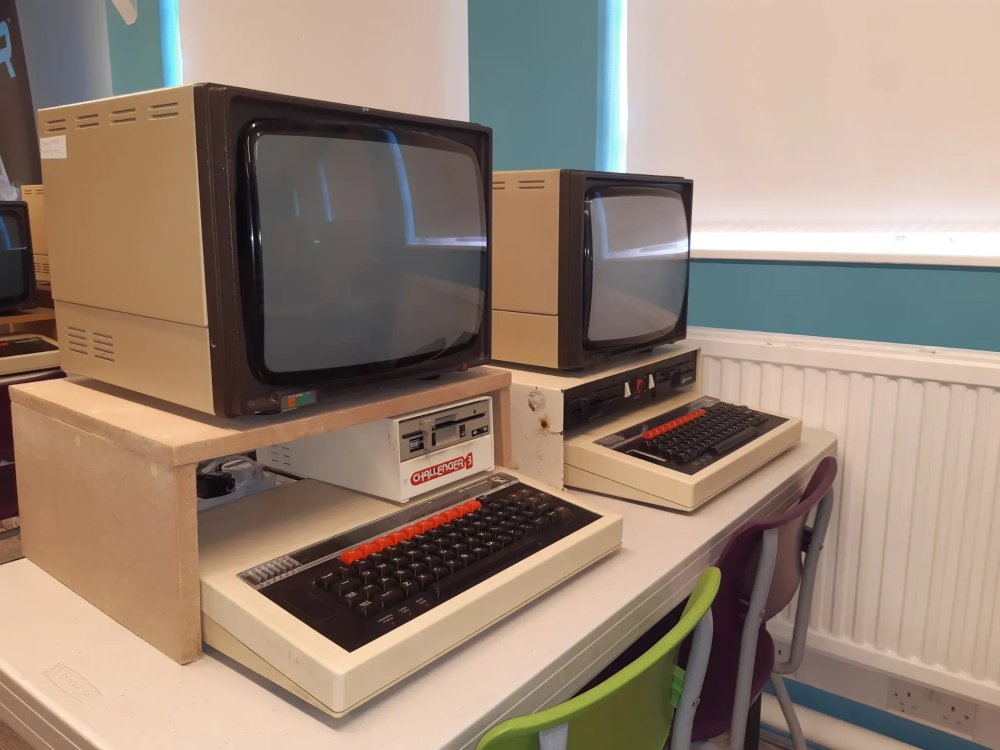
The sight of that large beige case, the red function keys running across the top and the familiar Acorn logo is enough to transport an entire generation back to computer lessons, lunchtime clubs and suspiciously educational games.
The BBC Micro never looked particularly playful. Next to a ZX Spectrum or Commodore 64, it appeared almost businesslike. It was solid, substantial and expensive. It looked like a computer that expected you to do some work.
And yet some of the most memorable gaming experiences of the 1980s happened on one.
For British children growing up during the decade, the BBC Micro occupied a peculiar position. You might not have owned one. You might not even have wanted one at home. But there was an extremely good chance you knew exactly what one looked like.
Because the school had one.
And everybody wanted their turn.
The BBC Micro Wasn't Just Another 1980s Home Computer
The early 1980s produced an extraordinary collection of British computers.
Sinclair gave us the ZX81 and ZX Spectrum. Commodore had the VIC-20 and Commodore 64. Amstrad would later arrive with the CPC range. There were Dragons, Orics, Ataris and plenty of machines that disappeared almost as quickly as they arrived.
The BBC Micro was different because it had the weight of the BBC behind it.
The machine grew out of the BBC's Computer Literacy Project, an ambitious attempt to introduce the British public to computers at a time when most people had barely touched one. Acorn Computers won the contract to produce the machine that would accompany the project, developing what became the BBC Microcomputer System.
Acorn's machine launched in December 1981. The Model A came with 16KB of RAM and originally cost £299, while the better-equipped Model B had 32KB and cost £399. Both were based around a 2MHz 6502 processor.
Those prices immediately tell you something important about the BBC Micro.
It wasn't cheap.
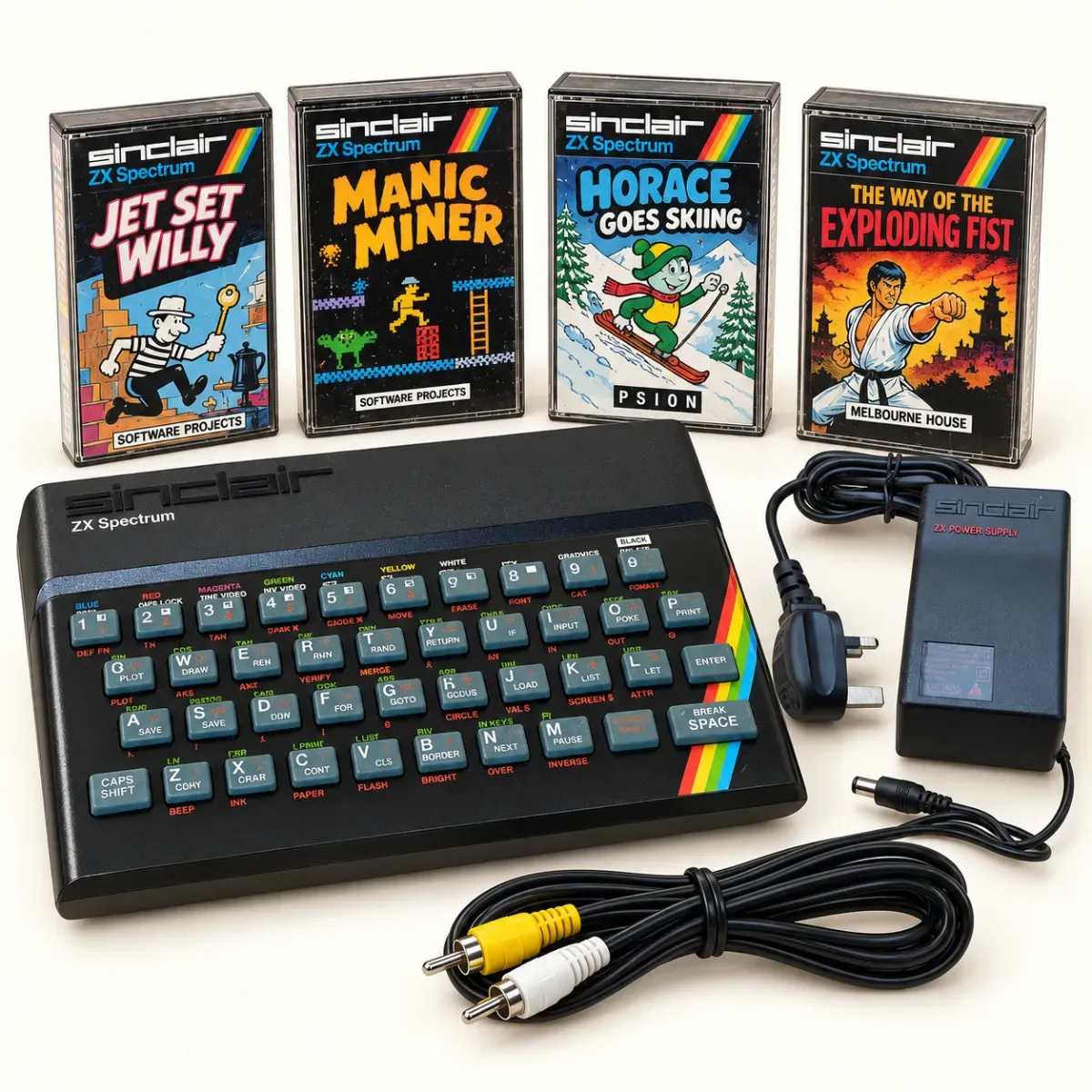
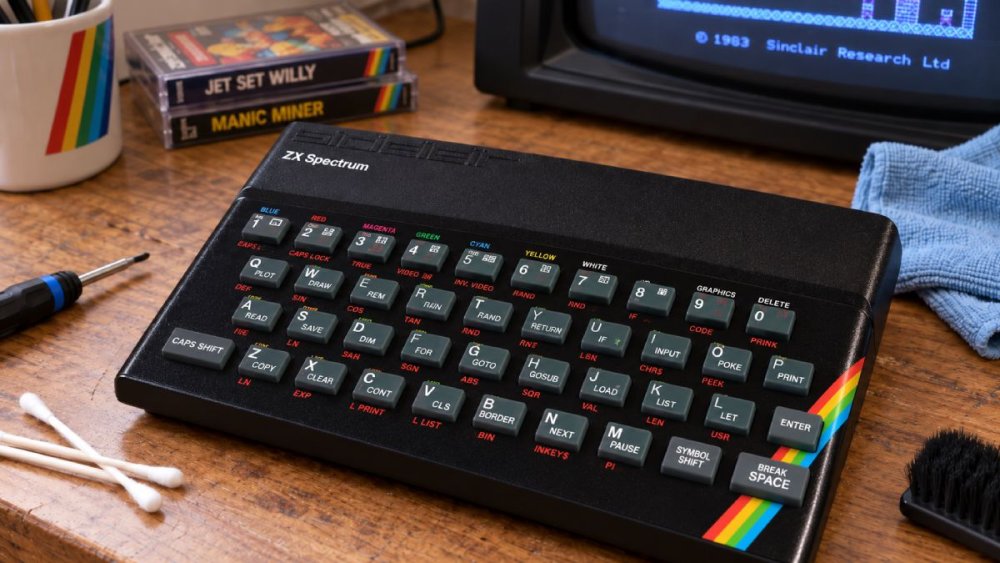
A ZX Spectrum arrived in 1982 at a much more approachable price, and that helped Sinclair become the machine associated with bedrooms, joysticks and enormous piles of cassette games.
The BBC Micro, meanwhile, found its natural habitat somewhere else.
Schools.
The Computer in the Corner of the Classroom
If you went to school in Britain during the 1980s or early 1990s, there is a decent chance your introduction to computing involved being marched towards a BBC Micro.
Usually there weren't enough computers for everybody.
There might have been one in the classroom. Perhaps the school had managed to assemble a small computer room containing several of them. Either way, computer time felt valuable because access was limited.
This seems almost absurd now.
A modern classroom can contain laptops, tablets, interactive displays and children carrying phones with vastly more computing power than an entire 1980s school could have imagined.
Back then, the computer was a destination.
You went to the computer.
And because there might be thirty children and one BBC Micro, simply getting near it felt like winning something.
The machine itself helped create that sense of importance. This wasn't a tiny plastic computer plugged into a portable telly. The BBC Micro was a chunky piece of equipment with a proper keyboard and an internal power supply. The Model B also offered an impressive range of expansion possibilities, including disc drives, networking through Econet and additional processors.
None of this necessarily mattered when you were nine.
What mattered was that the teacher had just announced it was your group's turn.
That Magnificent BBC Micro Keyboard
The BBC Micro looked serious because its keyboard was serious.
Anyone accustomed to the rubber keys of an original ZX Spectrum immediately noticed the difference. The BBC's keys had proper travel. They clacked. They felt as if somebody expected you to type actual programs rather than prod at them while trying to make Horace ski.
Across the top sat those distinctive red function keys.
They were glorious.
Nothing said "advanced computer equipment" quite like a row of brightly coloured keys whose purpose you only vaguely understood.
The machine had an unapologetically functional appearance. There was no attempt to disguise what it was. No sleek curves. No tiny footprint. No fashionable minimalism.
It was a box containing a computer, and it looked delighted about it.
That physical toughness mattered in schools, too. The BBC Micro was expected to survive repeated encounters with generations of enthusiastic children, a challenge somewhat greater than anything normally covered by a manufacturer's warranty.
It wasn't indestructible, obviously.
But it felt as though it might be.
Turning It On Was Part of the Experience
One of the pleasures of old computers is that they had recognisable personalities from the moment they started.
There was no animated logo followed by seventeen background services, a cloud account request and an urgent notification that your operating system would like to restart itself.
Switch on a BBC Micro and you were quickly presented with a simple screen waiting for instructions.
That little cursor meant business.
To a child seeing one for the first time, this could be both exciting and slightly intimidating. There weren't dozens of colourful icons explaining what to do next.
The computer was effectively saying: "Right then. What have you got?"
For many pupils, the answer was a few lines of BASIC copied very carefully from a worksheet.
Learning to Program on the BBC Micro
This is where the BBC Micro earned its place in computing history.
BBC BASIC was built into the machine and was designed to make programming accessible while remaining unusually capable. Sophie Wilson played the leading role in developing BBC BASIC, which even included facilities for incorporating 6502 assembly language.
For children, though, the starting point was often rather simpler.
You typed something.
The computer did something.
That relationship was enormously powerful.
Perhaps you began with:
10 PRINT "HELLO"
20 GOTO 10
RUN
Suddenly the screen filled with HELLO.
You had made the computer do that.
Of course, after approximately twelve seconds somebody would discover that changing HELLO to something vaguely rude produced an even more fascinating demonstration of computing science.
Educational technology had arrived.
Programming lessons often involved painstakingly entering BASIC listings from worksheets, magazines or books. One mistyped character could prevent the whole thing from working.
Then came the debugging process.
You checked line 10.
You checked line 20.
You checked line 30.
You accused the computer of being broken.
Eventually somebody noticed that you'd typed a zero instead of the letter O.
This wasn't exactly elegant, but it taught an important lesson about computers: they do what you tell them to do, not what you thought you told them to do.
When Typing Code Felt Like Magic
It is difficult to recreate the excitement of early programming for somebody whose first experience of technology was an iPad.
Modern devices generally hide their machinery.
Tap an icon and something happens.
The BBC Micro invited you behind the curtain.
You could type instructions directly into the machine and immediately see the results. Numbers changed. Words appeared. Lines moved around the screen. Sounds came from the speaker.
With surprisingly little knowledge, you could create something that didn't exist five minutes earlier.
That was intoxicating.
The BBC's Computer Literacy Project was intended to help people understand computing rather than simply consume it, and that philosophy became deeply associated with the machine. The project included television programmes, programming material and other educational resources alongside the computer itself.
For a generation of children, computers therefore arrived not as sealed entertainment appliances but as machines you were supposed to investigate.
You weren't merely allowed to fiddle with them.
Fiddling was practically the curriculum.
The BBC Micro Games Everyone Remembers
Of course, there was another reason children wanted access to the school computer.
Games.
The BBC Micro might have worn a sensible educational jacket, but underneath it was perfectly capable of entertaining a classroom full of pupils who had absolutely no intention of improving their spelling.
Granny's Garden
Mention Granny's Garden to the right group of British adults and observe the reaction.
For an educational adventure game, it has achieved a remarkable level of cultural immortality.
Developed for schools, Granny's Garden mixed reading, problem solving and simple adventure mechanics with the sort of atmosphere that could become strangely unsettling when experienced on a large CRT monitor in a quiet classroom.
You were searching for missing children while avoiding a witch.
Educational software, 1980s style.
There were no cinematic cutscenes. No voice acting. No orchestral soundtrack.
Yet pupils became completely absorbed.
Partly this was because computer games at school felt slightly illicit even when the teacher had specifically told you to play them. If something appeared on a computer screen and allowed interaction, it couldn't possibly count as proper work.
Surely we'd discovered a loophole.
Chuckie Egg
Then there was Chuckie Egg, one of the great British platform games of the era.
Now the educational justification became rather thinner.
Hen-House Harry dashed around collecting eggs while avoiding hens, and suddenly the BBC Micro wasn't a classroom teaching aid at all.
It was an arcade machine wearing a tie.
Anyone who played Chuckie Egg will remember the wonderfully direct nature of it. Ladders, platforms, eggs, birds and immediate disaster if your concentration wandered.
You didn't need twelve tutorials explaining the controls.
You started playing and, shortly afterwards, you were dead.
Excellent.
Repton
For slightly more thoughtful entertainment, there was Repton.
Superior Software's puzzle game became one of the defining BBC Micro titles, combining diamonds, rocks, monsters and carefully planned routes through increasingly devious levels.
Repton was the sort of game that could cause several children to gather behind one player offering completely contradictory advice.
"Move left."
"No, don't!"
"You need that diamond!"
"You've trapped yourself!"
And then the rock fell.
Silence.
You had trapped yourself.
Elite
And then there was Elite.
Released for the BBC Micro in 1984, David Braben and Ian Bell's space trading game was astonishingly ambitious for an 8-bit computer.
Elite gave players a galaxy to explore, goods to trade, pirates to fight and a Cobra Mk III spacecraft to pilot through wireframe space.
The technical achievement was impressive enough. The greater achievement was psychological.
Elite made a tiny computer feel enormous.
At a time when many games consisted of a handful of screens, Elite suggested that there might be a whole universe inside the machine.
For young players, that was extraordinary.
Waiting for Programs to Load
Not every BBC Micro relied on floppy discs.
For many users, software meant cassette tapes.
Which meant waiting.
The cassette interface was one of the BBC Micro's available connections, and tape remained an accessible way of distributing and storing software.
People who grew up with modern storage have been denied one of life's formative experiences: loading a program from cassette and wondering whether the previous ten minutes had been completely wasted.
There was something ritualistic about it.
Insert tape.
Rewind.
Enter the command.
Press play.
Wait.
Listen to electronic screeching that sounded like two fax machines having an argument inside a dustbin.
Wait some more.
And hope.
Loading screens became objects of contemplation. You studied every pixel because there was literally nothing else to do.
Instant access is obviously better.
But instant access has never built character in quite the same way.
The BBC Micro and the Mysterious World of Floppy Discs
If your school had floppy disc drives, things immediately felt more sophisticated.
The BBC Micro could be expanded with disc storage, and suddenly software appeared on those strangely fascinating flexible discs.
To children, floppy discs were simultaneously ordinary and incredibly precious.
You were told not to bend them.
Do not touch the exposed surface.
Do not put them near magnets.
Do not breathe aggressively in their general direction.
A teacher handing you a floppy disc could make it feel as though you had just been entrusted with the nuclear launch codes.
Compared with loading from tape, though, discs were wonderfully convenient.
And the BBC Micro was built with expansion in mind, one reason the machine remained useful long after many home computers had been replaced.
LOGO and the Turtle
For many children, another unforgettable part of school computing was LOGO.
The idea was wonderfully straightforward. You entered instructions that moved a cursor, often represented as a turtle, around the screen.
FORWARD.
RIGHT.
FORWARD.
RIGHT.
Get the instructions correct and you could create shapes.
Get them wrong and the turtle wandered off somewhere unexpected, leaving behind geometric evidence of your failure.
LOGO introduced programming concepts visually. Loops and repeated instructions became less abstract when you could watch the results unfold on screen.
There was also something fundamentally satisfying about commanding a turtle.
Modern computing education could perhaps benefit from more turtles.
The School Computer Room Had Its Own Atmosphere
By the later 1980s, some schools had moved beyond the solitary classroom computer and created dedicated computer rooms.
These places had a particular atmosphere.
Rows of BBC Micros.
Large CRT monitors.
The warm electronic smell of equipment that had been running all afternoon.
Disc boxes.
Printer paper with holes running down each side.
A printer somewhere making noises suggesting heavy industrial machinery was being operated badly.
Everything about the room felt futuristic.
Even the furniture seemed different.
Computer desks had compartments and shelves. Cables disappeared mysteriously behind equipment. Teachers suddenly spoke about networks and files.
If the machines were connected using Acorn's Econet networking system, things became more intriguing still. The BBC Micro had been designed with networking and expansion capabilities that made it particularly suited to education.
Computer networking was hardly glamorous by modern standards, but to a pupil accustomed to swapping exercise books, sending information between machines felt like science fiction.
The BBC Micro Made Computing Feel Important
This may be the machine's greatest achievement.
The ZX Spectrum made computing exciting.
The Commodore 64 made computing entertaining.
The BBC Micro made computing feel important.
Not boring. Not corporate. Important.
Because schools embraced it, computers became something children were expected to understand.
You could play games on them, certainly, but you could also write programs, manipulate data, control devices and communicate with other machines.
This was not simply another electronic toy.
It was a glimpse of what the future might look like.
The BBC itself reinforced that message. Television programmes including The Computer Programme, Making the Most of the Micro and later Micro Live presented computing as something ordinary people could learn. BBC schedules from the period show programming devoted specifically to computers in schools and demonstrations of software, communications and educational applications.
That combination of broadcasting, education and accessible hardware was unusual.
Britain didn't merely have a home computer boom.
For a while, the country seemed determined to teach everybody what computers actually did.
BBC Micro vs ZX Spectrum
Among children lucky enough to have computers at home, loyalties quickly developed.
The ZX Spectrum was usually the more obvious games machine.
It was cheaper, smaller and surrounded by an enormous commercial software library. Bedrooms across Britain filled with Spectrum cassettes, rubber keyboards and increasingly battered joysticks.
The BBC Micro felt different.
It was far more expensive, but also more substantial. It had a much better keyboard, an impressive range of interfaces and excellent educational credentials.
Put the two machines next to each other and they represented almost opposite interpretations of British home computing.
The Spectrum said: "Look how much fun we can squeeze into this tiny box."
The BBC Micro said: "We have expansion ports."
Both approaches were magnificent.
And plenty of children experienced both, with a Spectrum at home and a BBC Micro at school.
It was probably the ideal arrangement.
The Sound of the BBC Micro
Old computers didn't merely look distinctive.
They sounded distinctive.
The BBC Micro had that unmistakably electronic vocabulary of bleeps, buzzes and simple musical tones that instantly announced you were using an 8-bit machine.
Games used limited sound hardware inventively because they had no alternative.
There were no recorded orchestras. No surround sound. No headphones delivering studio-quality explosions.
A handful of electronic noises had to represent spaceships, monsters, treasure, warnings and occasionally music.
Your imagination filled in the rest.
Even keyboard sounds formed part of the experience. Proper physical keys meant programming involved a satisfying clatter.
A computer room full of pupils typing sounded productive even when half of them were attempting to make rude words appear in MODE 7.
MODE 7: Teletext Has Entered the Classroom
BBC Micro users will remember its display modes, particularly the wonderfully distinctive MODE 7.
MODE 7 used a Teletext-style display, capable of producing chunky coloured text and block graphics while using very little memory. The machine's original technical documentation describes it as a 40 by 25 Teletext display mode requiring just 1KB of screen memory.
To modern eyes, Teletext graphics look extremely primitive.
To British eyes of a certain age, they look magnificent.
Bold colours. Blocky letters. Little graphical shapes assembled from character cells.
Instantly recognisable.
The BBC Micro's connection with broadcasting technology made the whole thing feel strangely coherent. This was the era of Ceefax, when obtaining information electronically meant waiting patiently for a television page to cycle round again.
MODE 7 therefore looked completely natural.
Of course computers displayed text like Ceefax.
Why wouldn't they?
The Machine That Wouldn't Leave
One sign of how successful the BBC Micro became in education was simply how long schools kept using them.
Technology usually moves quickly, but school technology often moves according to a different principle: if it still switches on, somebody will continue using it.
BBC Micros therefore remained in British classrooms well beyond the machine's early-1980s heyday.
Later came the BBC Master, then Acorn Archimedes machines with their colourful desktop interfaces. Acorn continued its relationship with British education, and the technological work emerging from the company ultimately contributed to the development of ARM processor architecture.
That gives the humble school computer a remarkable family tree.
The beige machine sitting underneath a dusty monitor wasn't merely part of a temporary 1980s fad.
It belonged to a strand of British computing history whose influence continued far beyond the classroom.
Why the BBC Micro Mattered So Much
Statistics can tell part of the story.
Demand for the machine greatly exceeded early expectations, and the BBC Micro became one of Britain's defining computers of the era.
But its cultural significance is harder to capture with numbers.
The important thing was access.
Thousands upon thousands of children who would never have encountered a computer at home were given an opportunity to use one at school.
Some played Granny's Garden.
Some typed BASIC programs.
Some discovered they were unusually good at understanding how computers worked.
And some of those children went on to build careers in computing, engineering and software development.
For others, the BBC Micro simply became another part of childhood.
Assembly.
School dinners.
Plastic chairs.
Overhead projectors.
Wet playtimes.
And the computer.
That big beige machine waiting in the corner.
Collecting a BBC Micro Today
The BBC Micro has become highly desirable among retro computer enthusiasts, partly because of its historical importance and partly because it remains an enjoyable machine to use.
A working Model B provides something emulation cannot completely reproduce.
The keyboard.
The case.
The ports.
The original monitor experience, if you are brave enough to fill your house with CRTs.
The sound.
Even inserting a disc or loading software from cassette changes the experience.
Modern solutions obviously make using old machines considerably easier. Storage emulators and other accessories can provide convenient access to software without relying entirely on ageing magnetic media.
But there's something appealing about keeping the original machine alive.
These computers were designed to be explored. Open-endedness was part of their personality.
You didn't simply install apps approved by somebody else.
You could attach things to them, program them and experiment.
That remains refreshing.
Modern Computers Are Better at Almost Everything, Except Being Mysterious
Comparing a BBC Micro with a modern computer purely by specifications is pointless.
A cheap smartphone can perform tasks an entire room full of early-1980s computers couldn't approach.
Modern machines are faster, quieter, vastly more capable and infinitely easier to connect.
Yet something has been lost along the way.
The BBC Micro was understandable.
Not necessarily easy, but understandable.
Switch it on and you were immediately close to the machine itself. Programming wasn't hidden behind development environments, frameworks, accounts and layers of software.
The distance between an idea and the computer responding to it could be a single line of BASIC.
That simplicity gave computers mystery without making them inaccessible.
You didn't understand everything the BBC Micro could do.
But it felt as though you might.
And that feeling inspired people to experiment.
Why We Still Remember the BBC Micro
Nostalgia can make almost any old technology seem charming.
Some machines probably benefit considerably from our selective memory.
But the BBC Micro deserves its reputation.
It was exceptionally well designed for its time, expandable, capable and backed by a genuinely ambitious attempt to make Britain computer literate.
More importantly, people actually encountered it.
The BBC Micro wasn't an obscure machine admired only through magazine adverts. It was physically present in classrooms.
Children sat in front of it.
They typed on it.
They argued over it.
They learned on it.
They played Chuckie Egg when they were supposed to be doing something educational.
And somewhere along the way, computers stopped being mysterious machines belonging to banks, laboratories and science fiction stories.
They became something a child could control.
For many people in Britain, the BBC Micro was where that happened.
That is why seeing one today can produce such an immediate reaction. You don't just remember the computer.
You remember the room it was sitting in.
You remember the enormous monitor.
You remember the teacher.
You remember waiting for your turn.
You remember getting your first tiny BASIC program to work and feeling, for a brief moment, as though you had cracked the secrets of the future.
The future turned out to involve smartphones, streaming television, artificial intelligence and software updates that begin at the exact moment you urgently need your computer.
But that chunky beige BBC Micro still feels special.
Not because of what it could do compared with computers today.
Because of what it showed us computers might become.
For more stories about the computers, gadgets, games and technology we grew up with, join RetroWins or sign up to stay in the loop. There are plenty more forgotten sounds, machines and memories still waiting to be switched back on.